A project without the context switching
Tasks, meetings and reference notes in one project. The board shows stages; the calendar shows time.
status · startDate · relationSet it up →PROJECTS PLUS / FOR OBSIDIAN
Connect ideas, tasks and events. Build a useful workflow from ordinary Markdown notes, inside your own Obsidian vault.
3.7.2 Open source · Desktop + iPhone · Obsidian 1.8.7+
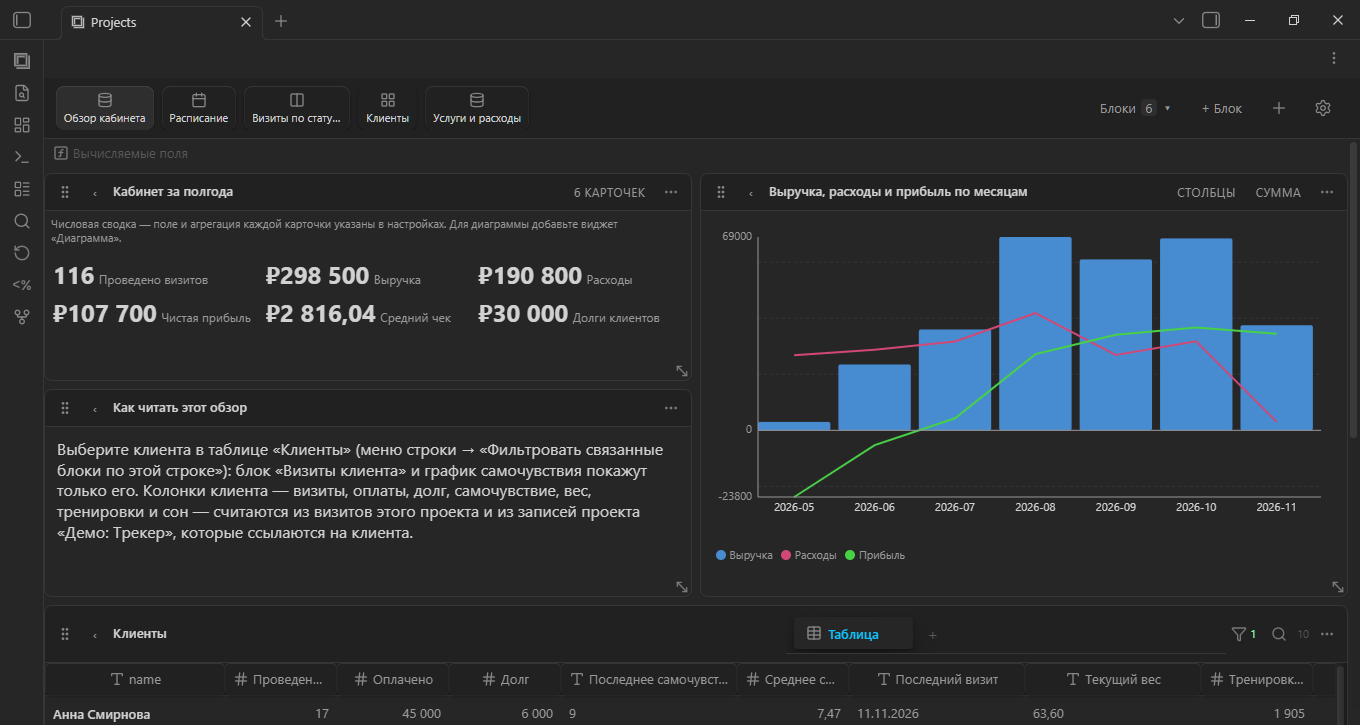
The bigger picture, built from your notes. Take a closer look ↗
PROJECTS PLUS / IN ACTION
Real app screenshots: from the bigger picture to the next appointment. Browse or open an image to see the details.
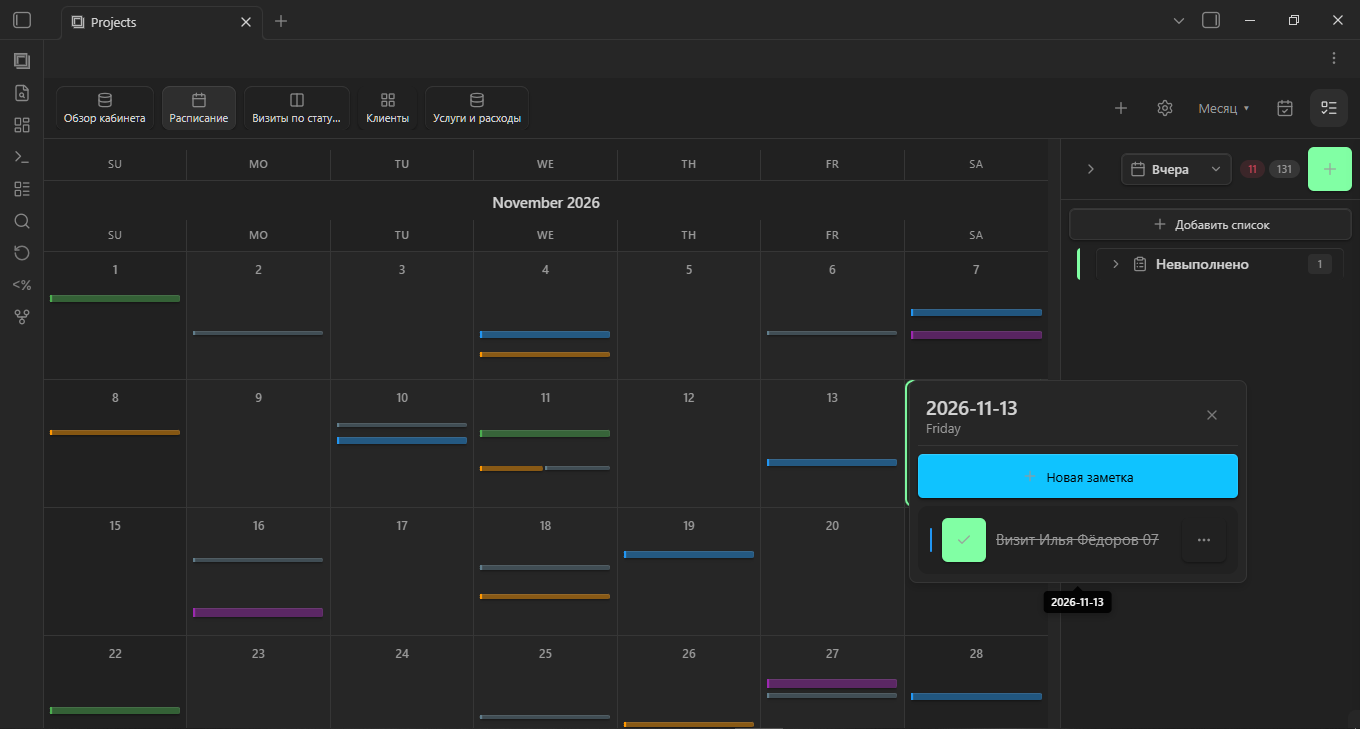
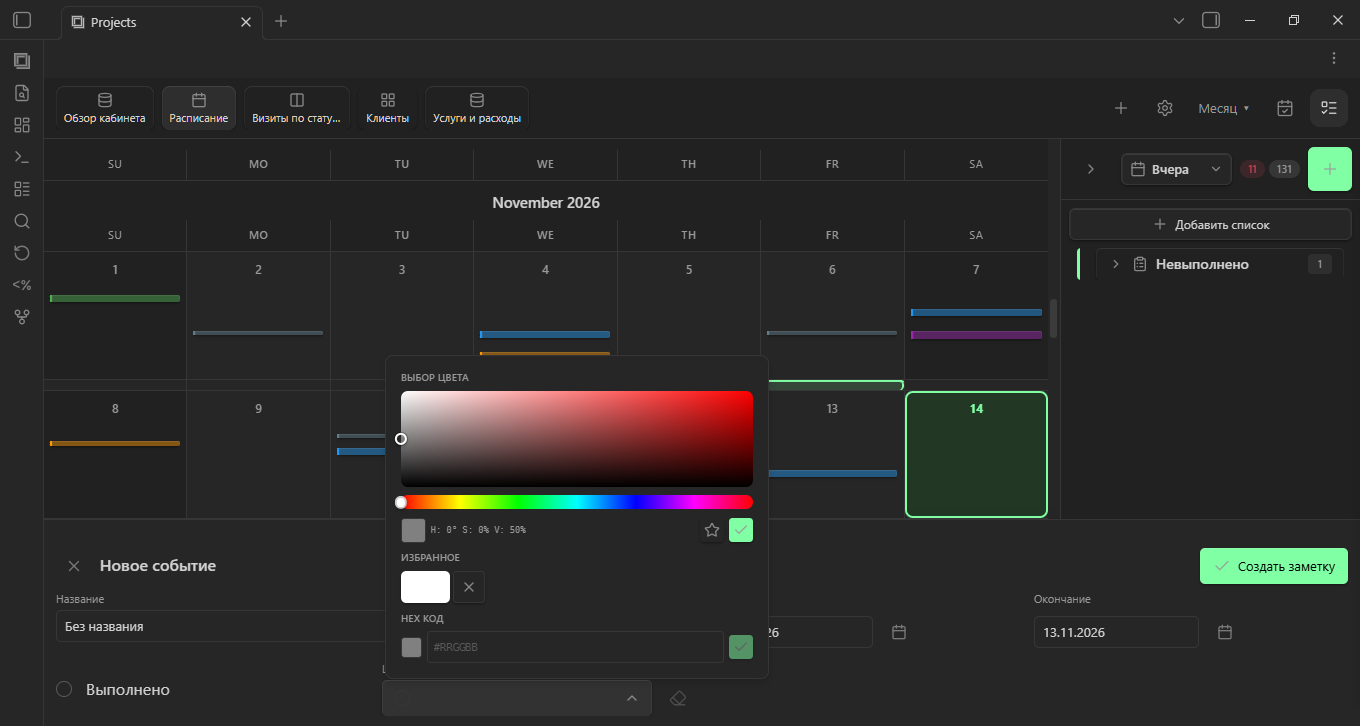
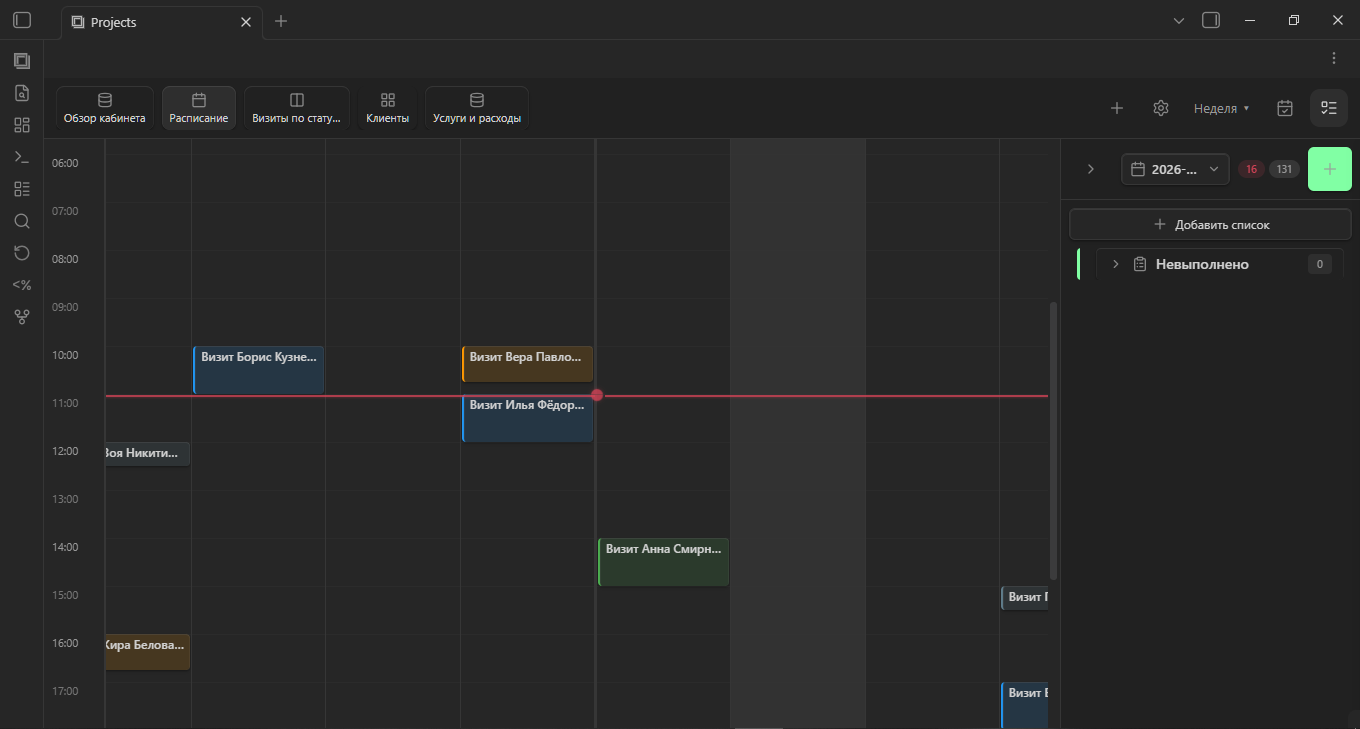
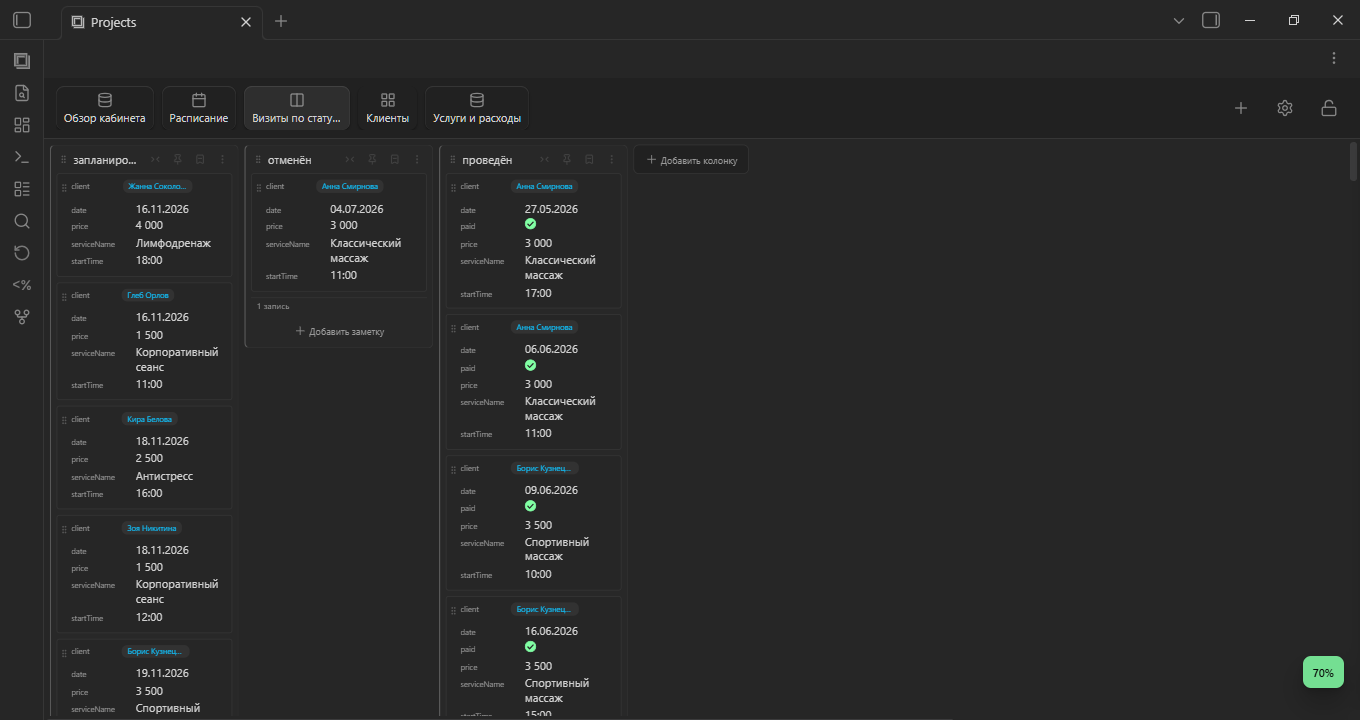
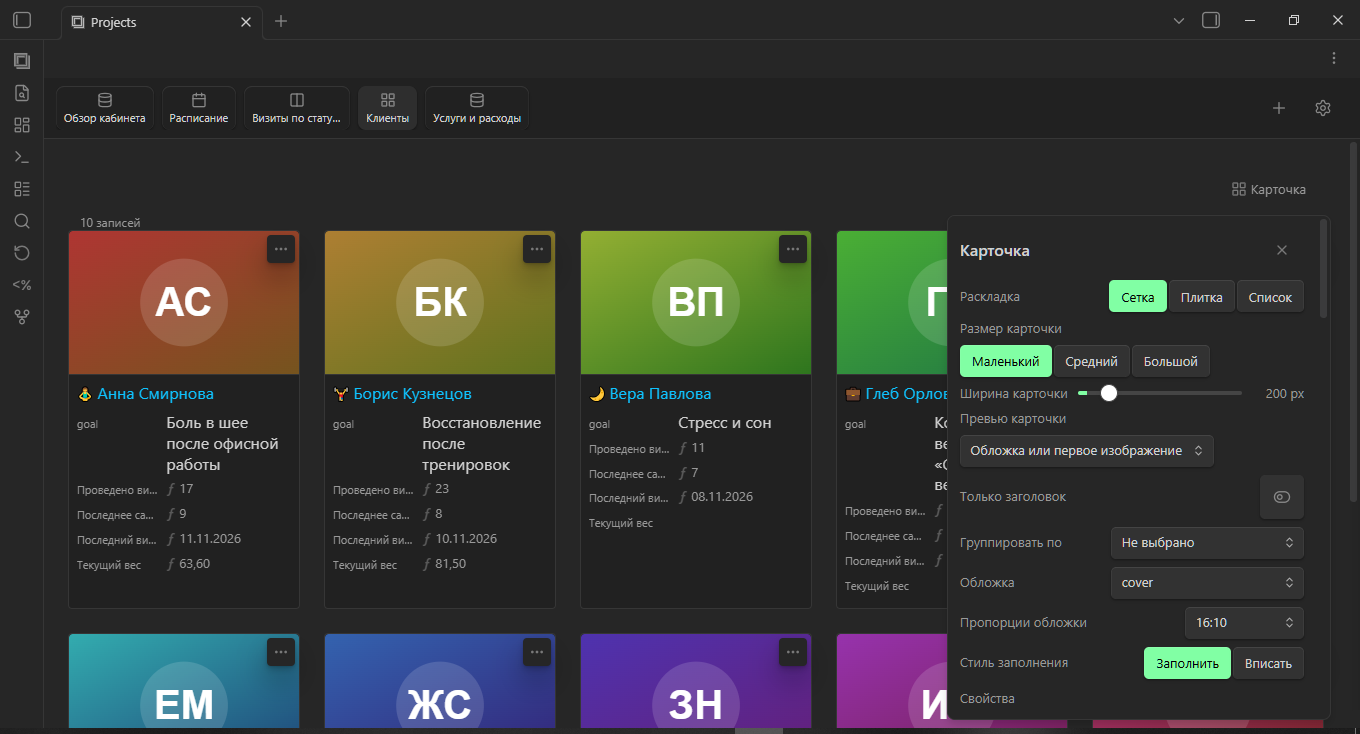
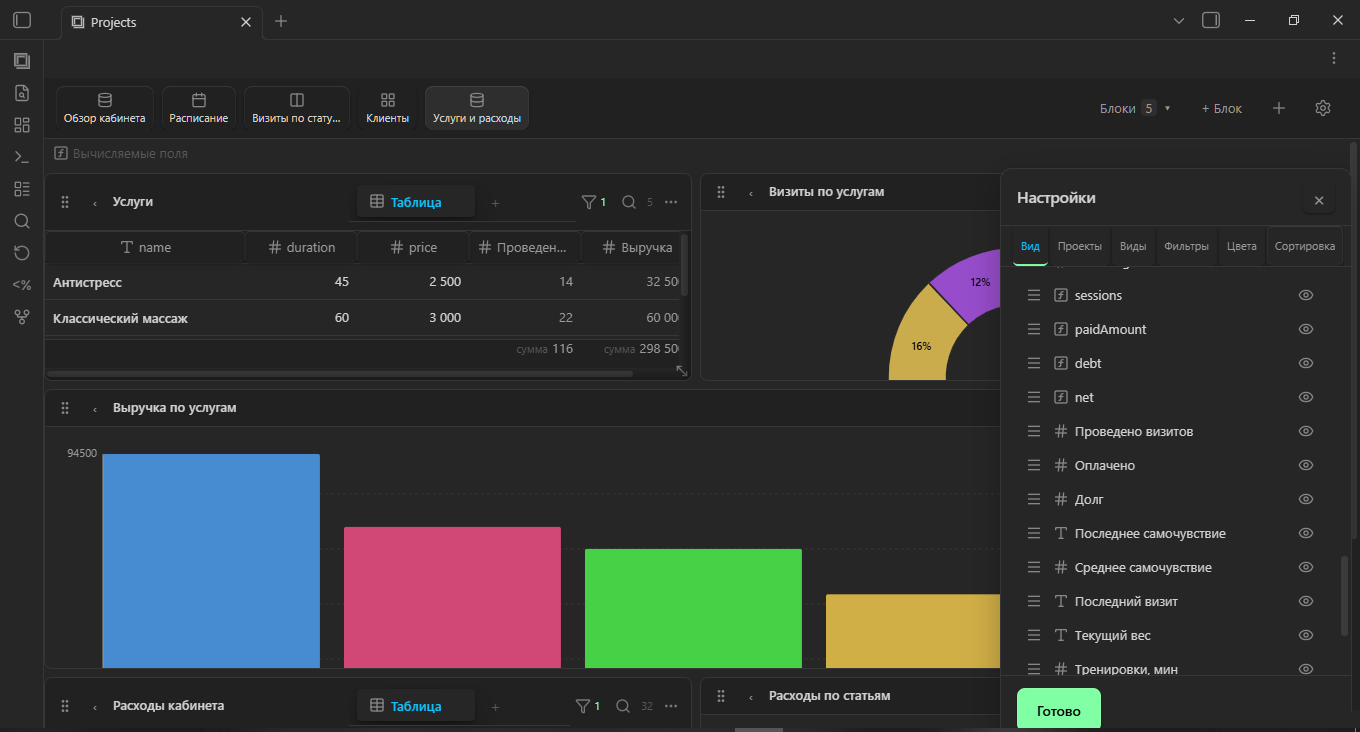
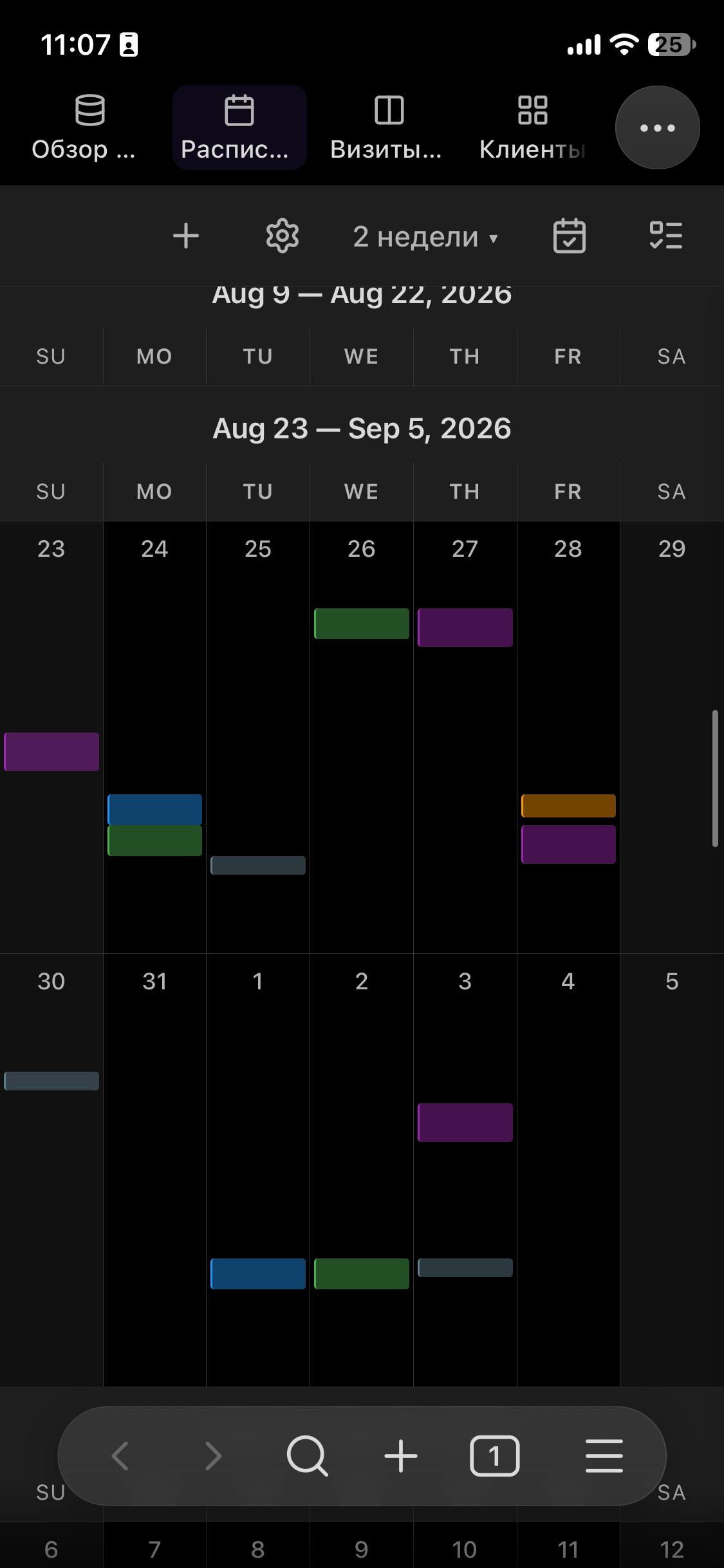
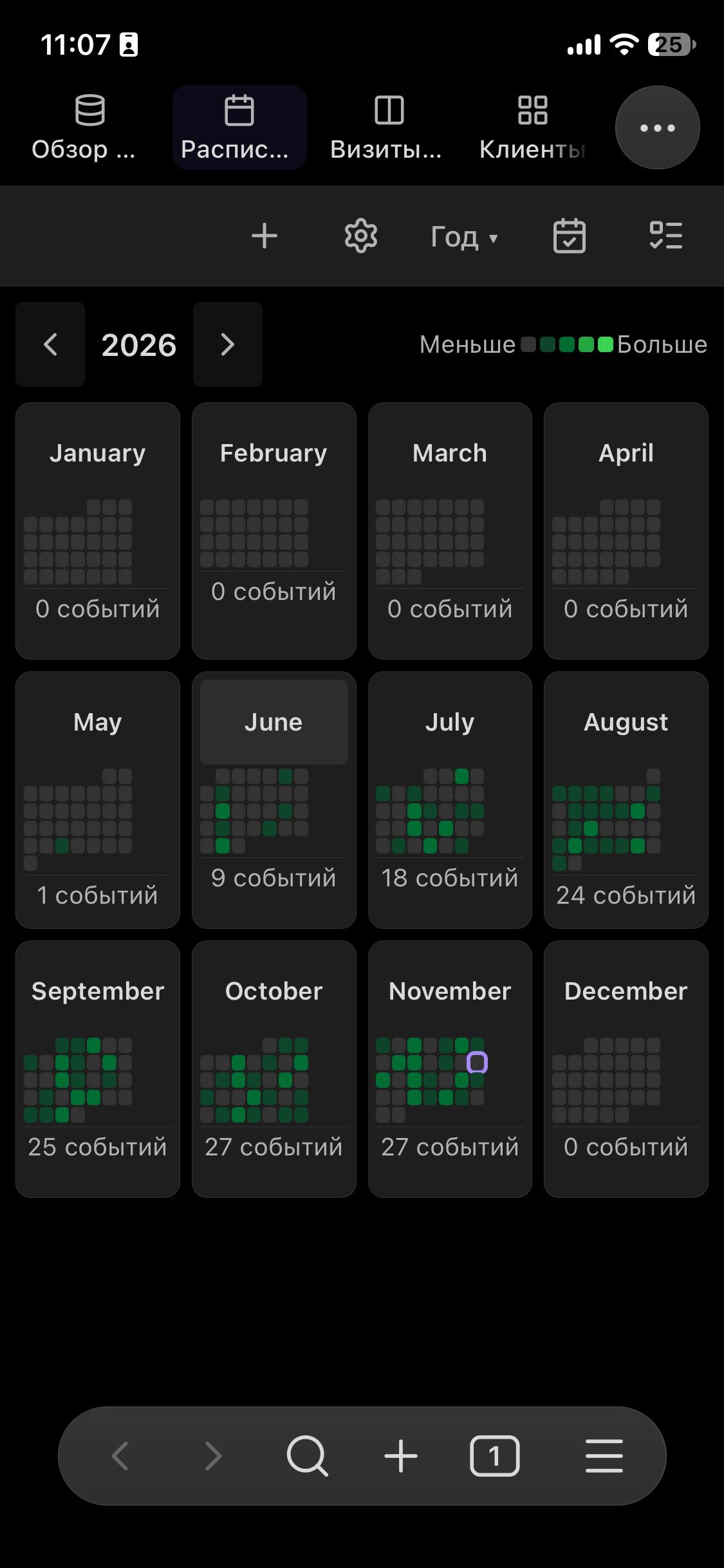
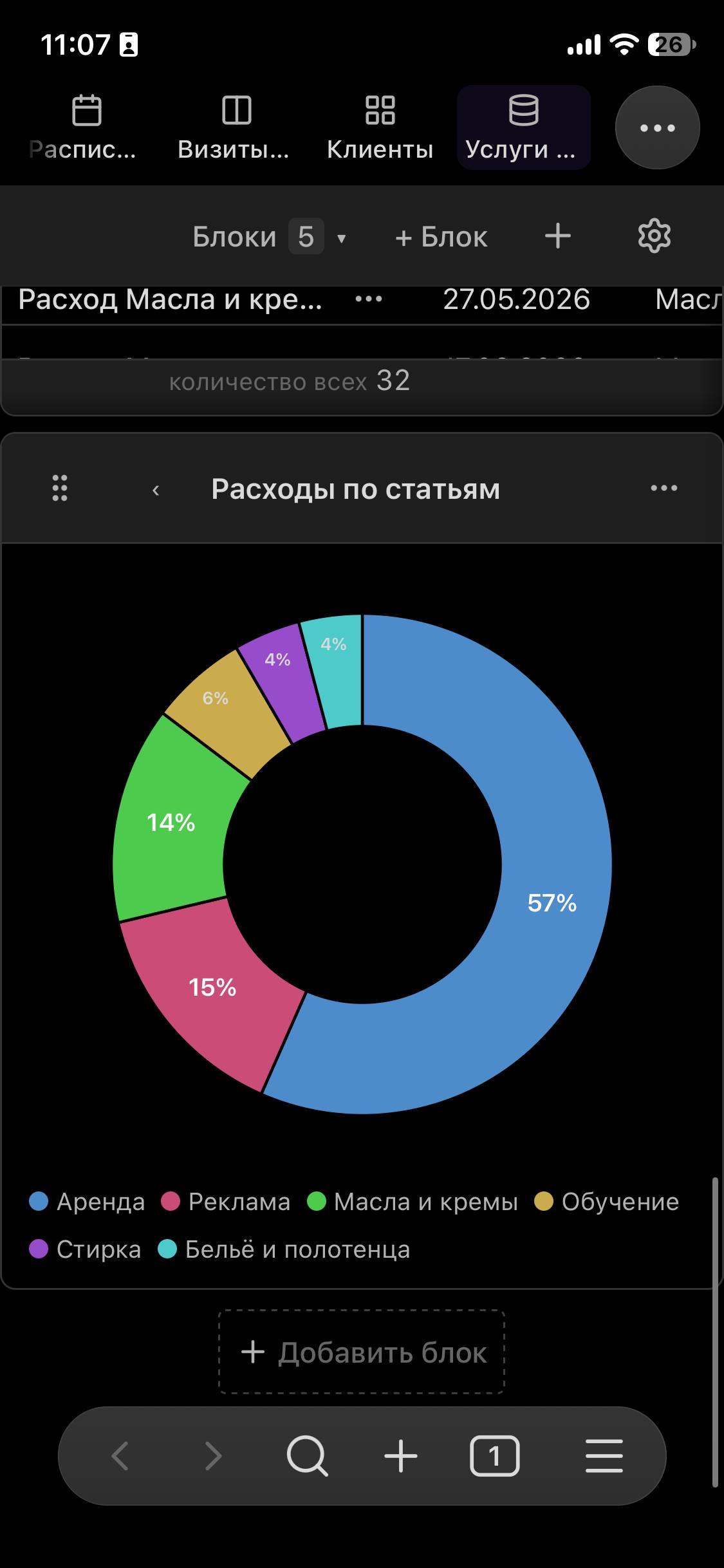
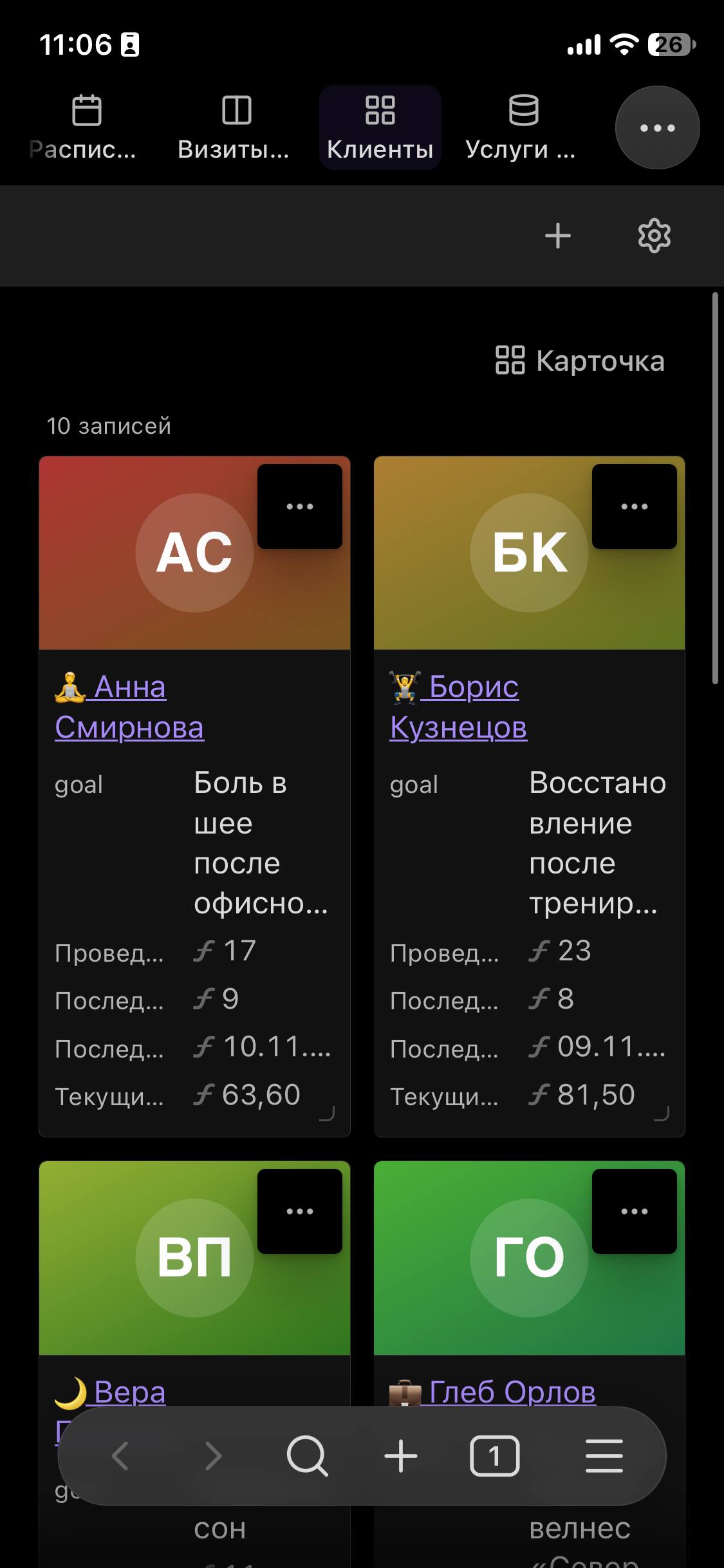
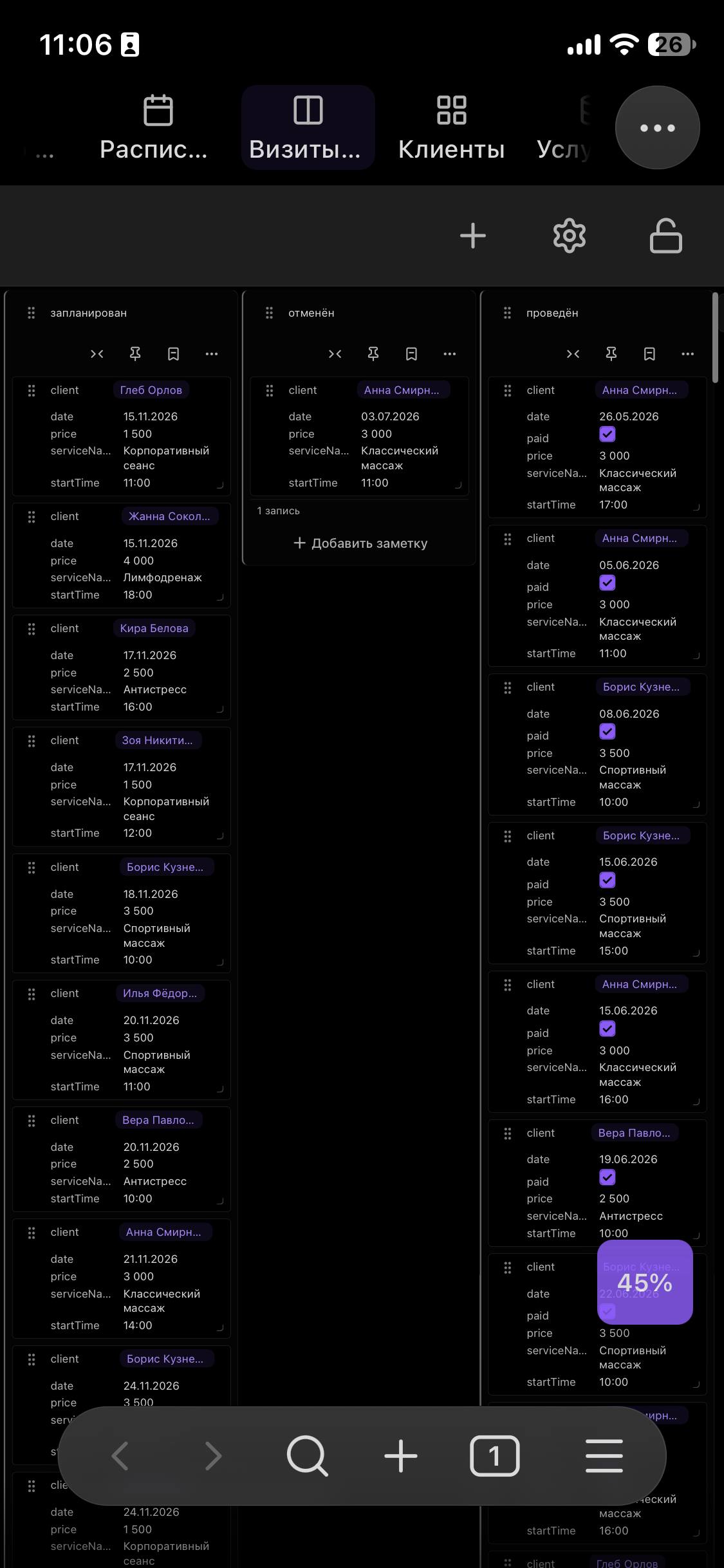
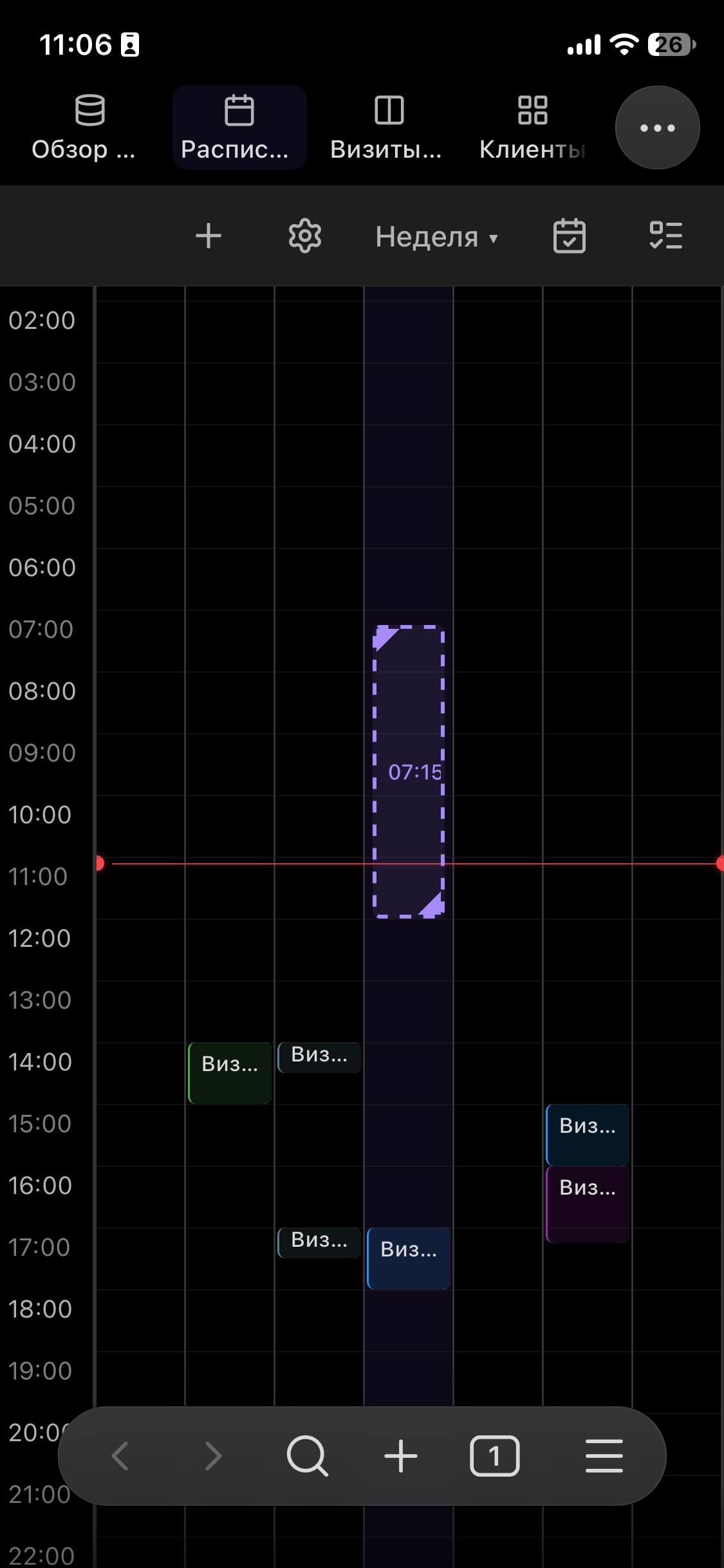
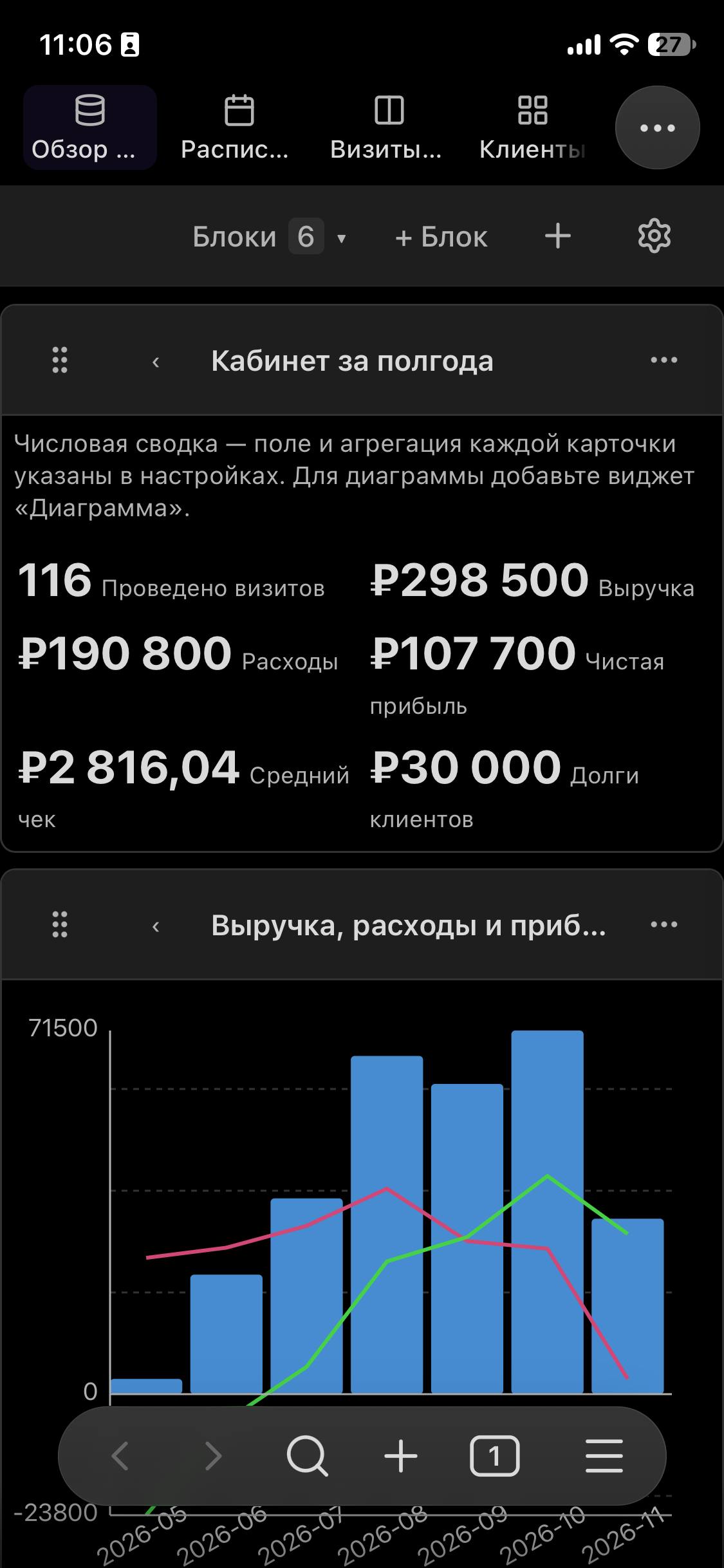
Captured by the maintainer on 14 November 2026: desktop and a physical iPhone. Appearance depends on your Obsidian theme and settings.
01 / ONE DATA SET
Switch views and change a status. On the right are the properties of a sample note. This is a simplified model of the idea, not a plugin screenshot.
| Note | Status | Date |
|---|---|---|
| Collect ideas | 2026-10-28 | |
| Prepare a meeting | 2026-10-29 | |
| Review the week | 2026-10-30 |
Interactive model · sample data
02 / GARDEN OF IDEAS
Start with one useful scenario. Add connections and views when you need them.
Tasks, meetings and reference notes in one project. The board shows stages; the calendar shows time.
status · startDate · relationSet it up →Bring tasks and events into a calendar and collect the results in dashboard blocks.
date · tags · formulaSet it up →Browse materials by cover, connect related notes and compare their properties in a table.
cover · relation · tagsSet it up →One note per visit, linked clients and a calendar. Start with the built-in demo.
client · startDate · statusSet it up →Compare daily records and plot changes over time. Your entries remain ordinary notes.
date · number · checkboxSet it up →Connect sources to projects, follow reverse relations and aggregate related values.
relation · reverse relation · rollupSet it up →03 / MARKDOWN FIRST
Text and YAML properties in an ordinary vault file.
Select records by folder, tag, built-in query or Dataview.
A board, calendar, gallery or dashboard with tables and metrics.
Tables, charts, metrics and linked views on one page.
Connect records and aggregate values from related notes.
Edit ordinary fields and calculate view-local columns. Formula results are read-only and never overwrite note properties.
Markdown records and project settings in data.json. Your theme and your vault stay yours.
04 / DOCUMENTATION
Practical guides to installation, sources, formulas, the API and troubleshooting.
05 / GET STARTED
Download main.js, manifest.json and styles.css from the same stable release. Put them in the folder below and enable Projects Plus in Obsidian. Replace .obsidian if you use a custom configuration folder.
.obsidian/plugins/obs-projects-plus/Keep data.json when updating, and back up your vault. This file contains your project and view settings.
Updating, checks and rollback →BUILT TOGETHER
Projects Plus is an open-source project by Park Pavel. If it helps your work, support its development: new features, fixes and clear documentation.
Records are Markdown files in your vault. Projects and view settings live in .obsidian/plugins/obs-projects-plus/data.json.
No. Folder, tag and built-in query sources work without it. Dataview is only needed when you choose that source.
The plugin has no separate server or telemetry. External covers and images can load over the network; use vault images for local-only content.
The plugin targets desktop and mobile Obsidian. Gesture behaviour depends on the device; check the notes for your installed release.
Ordinary writable properties can be edited. Formulas, rollups and transformed results may be calculated and unavailable for direct editing.